When the payment page suddenly shows failure, the most common mistake isn't "payment didn't go through"—it's repeatedly submitting before the status syncs, leading to duplicate authorizations, duplicate charges, or multiple pending payment records for the same order. When dealing with this, first save evidence, then confirm order status, and finally decide whether to continue payment, wait for sync, or pause operations. 🧾 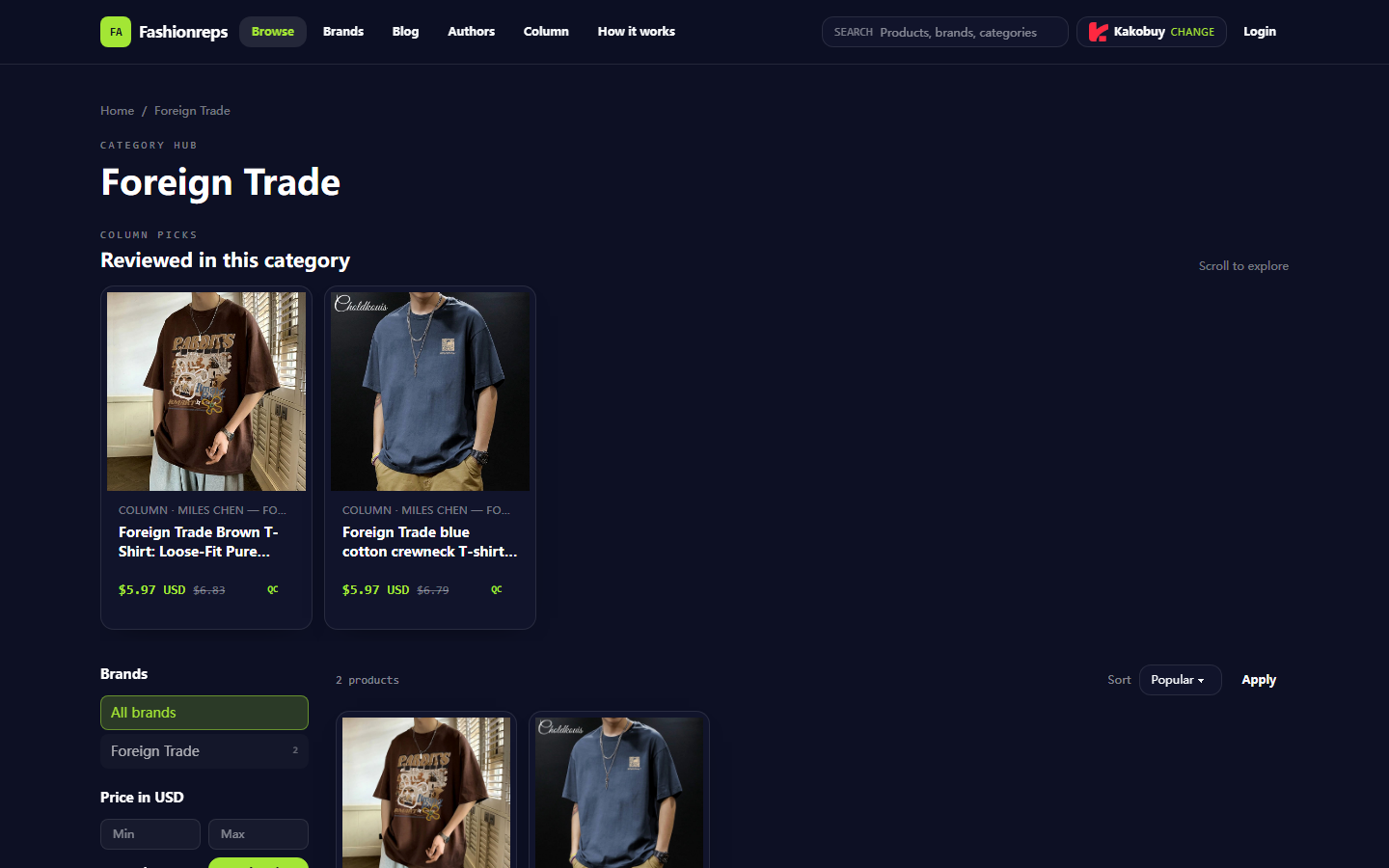
When the payment page suddenly shows failure, the most common mistake isn't "payment didn't go through"—it's repeatedly submitting before the status syncs, leading to duplicate authorizations, duplicate charges, or multiple pending payment records for the same order. When dealing with this, first save evidence, then confirm order status, and finally decide whether to continue payment, wait for sync, or pause operations. 🧾

The illustrated page is used to discover products and select an external shopping agent. The Fashionreps page directs the purchase entry to the chosen agent, and orders, payments, and shipping are usually handled by the agent's website, so after a payment failure, order verification should first be done in the actual agent account that was opened.
Defining the scope of foreign trade payment failure troubleshooting
This article addresses only one issue: after clicking from the Fashionreps product entry to an external shopping agent, when the payment page shows failure, timeout, error, or blank screen, how to determine whether an order was already created and whether there is a risk of duplicate charges.
After reading, you should be able to do three things:
- Locate the agent website and account that actually handles the order.
- Use order records, payment records, and account balance to verify whether the payment has produced a result.
- Stop resubmitting when evidence is insufficient, and organize information for customer service inquiry.
This article does not apply to credit card fraud, account theft, customs seizure, refund disputes, or when the agent platform has clearly shown duplicate orders. In those cases, directly use the formal complaint channels of the payment institution or agent platform, and do not continue trying to pay.
Record product, order, payment method, and page prompts
Do not close the failure page immediately, and do not refresh repeatedly. Use screenshots or text to record the following information:
- Product name, and the agent or redirect entry where the product page is located.
- Order number, cart number, or payment reference; if the page did not generate a number, also note "no order number displayed."
- Payment time, preferably with time zone.
- The complete prompt shown on the page, such as payment failed, payment pending, timeout, or payment canceled.
- Payment currency and displayed amount, including product amount, service fee, shipping, or other additional charges.
- Payment method used, such as bank card, e-wallet, or account balance.
- Whether the page redirected to the payment institution, and whether there were prompts for authorization success, cancellation, or return to merchant.
Do not send full bank card numbers, verification codes, passports, full billing addresses, or payment passwords to anyone. Keep only the parts of screenshots that identify the order and status, and mask sensitive information. 🔒
If the page shows "failed," do not interpret it on your own as "the bank definitely did not charge." Failure can occur at different stages: order placement, payment authorization, payment callback, or platform synchronization.
Check the order list for pending or processing orders
Log in to the agent website that actually handles the payment, and check the areas for orders, pending payment, processing, canceled, or order history separately. Do not only look at the shopping cart, and do not rely solely on the text of the failure page.
Verify in the following order:
- Filter orders using the product name, amount, and time recorded before payment.
- Check whether a new order number or payment reference appears.
- Compare whether the order status is pending payment, processing, paid, canceled, or failed.
- Check whether two or more orders with the same amount, same product, and close times were generated.
- Open the order details to confirm the order amount matches the failure page record.
- Refresh the order list once and reconfirm; do not refresh continuously or repeatedly click the payment button.
If the order shows pending payment, it usually only means the order record was generated, not that the previous payment succeeded. At this point, first check the payment institution and account balance before deciding whether to pay.
If the order shows processing, do not immediately repay. Processing status may indicate the platform is waiting for payment callback or internal synchronization; resubmitting increases the risk of duplicate orders and duplicate authorizations.
If there is no order record at all, you cannot confirm "no charge" based on that alone. Some payment processes may go through the payment institution first, and then the agent platform asynchronously creates the order.
Verify payment page redirect, charge records, and balance changes
Payment status should be cross-confirmed from at least three places: agent order page, payment institution records, and funds account or bank card statement. When information from the three places is inconsistent, focus on traceable transaction records, and do not judge by page colors or pop-ups.
When checking the payment institution, focus on:
- Whether the transaction is completed, processing, reversed, failed, or pending authorization.
- Whether the merchant name corresponds to the shopping agent actually used, not another website.
- Whether the amount, currency, and time match the order record.
- Whether there are two authorizations with the same or similar times.
- Whether a failed transaction has been automatically released or is still in pending authorization status.
When checking a bank card or e-wallet, distinguish between "balance decrease" and "final charge." Some payment methods first create a pre-authorization, and the balance temporarily changes, but the transaction may later be automatically canceled. Do not actively initiate a refund or make another payment before confirming the original transaction status.
You can use the following evidence combination to decide the next step:
| Order page status | Payment record status | Recommended action |
|---|---|---|
| No order | No transaction or failed | Save evidence, then you may attempt payment again; if still failing, contact agent customer service |
| Pending payment | No transaction | Confirm order amount and product are correct, then decide whether to pay |
| Pending payment | Processing or pending authorization | Pause payment, wait for payment institution and agent sync or consult customer service |
| Paid or processing | Completed or authorization exists | Do not submit again; first wait for order sync and contact agent to confirm |
| Two identical orders | One or more charges | Stop all operations, keep order and payment evidence, use formal customer service channels |
The table is only for initial triage. The final status from the payment institution, agent platform order details, and local bank processing times may differ; do not treat "temporarily showing processing" as the final charge result.
Avoid repeatedly clicking submit or repaying when status is unclear
The following actions increase duplicate charge risk and should be temporarily stopped:
- Continuously clicking the payment button after a failure prompt.
- Opening multiple tabs to resubmit the same order simultaneously.
- Immediately paying again after changing payment method without recording the previous transaction status.
- Seeing a temporary balance decrease and then recharging and paying again.
- Sending payment evidence to unknown customer service accounts or asking them to operate on your behalf.
- Judging transaction results solely by SMS notifications without checking the payment institution and order details.
If the page is stuck, you can save a screenshot, close duplicate tabs, and keep only one official login session. Wait for a while, then re-check orders and payment records before deciding the next step. ⏳
If you must continue payment, first confirm three things: the original transaction is not completed, not in pending authorization status, and only one clear pending payment order remains. If any of these cannot be confirmed, pause rather than continue trying.
Organize the order information customer service needs based on page evidence
When contacting agent platform customer service, provide information sufficient to locate the problem without overexposing privacy:
- Account nickname or partial registration email, as required by customer service.
- Order number, payment reference, or error code shown on the page.
- Product name, amount, currency, and payment time.
- Type of payment method, without providing full card number or security code.
- Screenshots of the failure page, order page, and payment record, with personal sensitive information masked.
- The specific issues you want customer service to confirm: whether an order was created, whether payment callback was received, whether there are duplicate orders, and whether pending authorization will be automatically released.
Customer service channels should be accessed from the official account, help center, or order page of the actual agent website. Do not handle payment issues through unfamiliar phone numbers from search results, social media private messages, or temporary payment pages.
If the payment institution shows completed, but the agent order is still not synced, first verify the transaction with agent customer service, and do not pay again. If the agent confirms no payment received, then ask the payment institution whether the transaction was a pre-authorization, whether it has been reversed, and when funds will be released.
Distinguish confirmable status, temporary anomalies, and indeterminate charge results
Confirmable status usually has matching records, such as the order shows paid and the payment institution also shows the corresponding amount completed; or the order is explicitly canceled and the payment record shows failed with no balance change.
Temporary anomalies include order showing processing, payment institution showing pending authorization, page redirect failure but account balance changed. These situations require waiting for synchronization or verifying with official customer service; do not repay directly.
Indeterminate situations include having only a failure screenshot, no order number, no queryable record at the payment institution, or merchant name inconsistent with the actual agent. In these cases, first confirm which website and which account you are using, then continue the query.
If you find the charged amount differs from the order amount, the merchant name is unfamiliar, multiple authorizations appear, or there are unrecognized transactions on your account, stop all related operations and contact the payment institution and the actual transaction platform simultaneously. Do not treat uncertain transactions as ordinary page errors.
Complete the decision to continue payment, wait for sync, or pause operations
Continuing payment is only appropriate when: the agent order is clearly pending payment, the payment institution has no successful or pending authorization record, the account has no corresponding charge, and you have confirmed there are no duplicate orders.
Waiting for sync is appropriate when: the order shows processing, the payment institution shows pending authorization or completed, the page just had a redirect error, or the time difference between the order and payment record is very short. Do not resubmit during the wait.
Pausing operations and contacting customer service is appropriate when: there are two or more identical orders, the payment institution shows multiple authorizations, the order shows paid but the page repeatedly asks for payment, amounts are inconsistent, merchant identity cannot be confirmed, or the balance has decreased but transaction status is unclear.
The final judgment should be based on three types of evidence: order records, payment records, and fund changes. Seeing only the words "payment failed" is not enough to prove there is no order, nor enough to prove there is no charge. Check first, then act—usually safer than clicking again. ✅
Article image
Editor score 4.2 / 5