Dolce Gabbana Glasses Coupon Verification: Checkout Questions to Answer If you're about to buy Dolce & Gabbana glasses, what you really need to confirm isn't whether the page displays the word "coupon", but whether the coupon applies to the current item, current cart, and current payment method. This article focuses on one specific action: before submitting your order, check the item price, available coupon, service fee, packaging fee, shipping fee, payment fee, and exchange rate impact one b
Dolce Gabbana Glasses Coupon Verification: Checkout Questions to Answer
If you're about to buy Dolce & Gabbana glasses, what you really need to confirm isn't whether the page displays the word "coupon", but whether the coupon applies to the current item, current cart, and current payment method. This article focuses on one specific action: before submitting your order, check the item price, available coupon, service fee, packaging fee, shipping fee, payment fee, and exchange rate impact one by one, confirm the final amount due, and then decide whether to proceed with checkout, contact support, or hold off.
The verification date for this article is October 28, 2026. Current information shows that the Fashionreps page provides shopping info based on item source and QC photos; order, payment, and shipping are handled by an external shopping agent chosen by the user. Therefore, the item information on the Fashionreps page cannot directly replace the price, coupon, and fee confirmation on the shopping agent's checkout page.

Confirm Item, Color, Specs, and Current Link from the Fashionreps Page
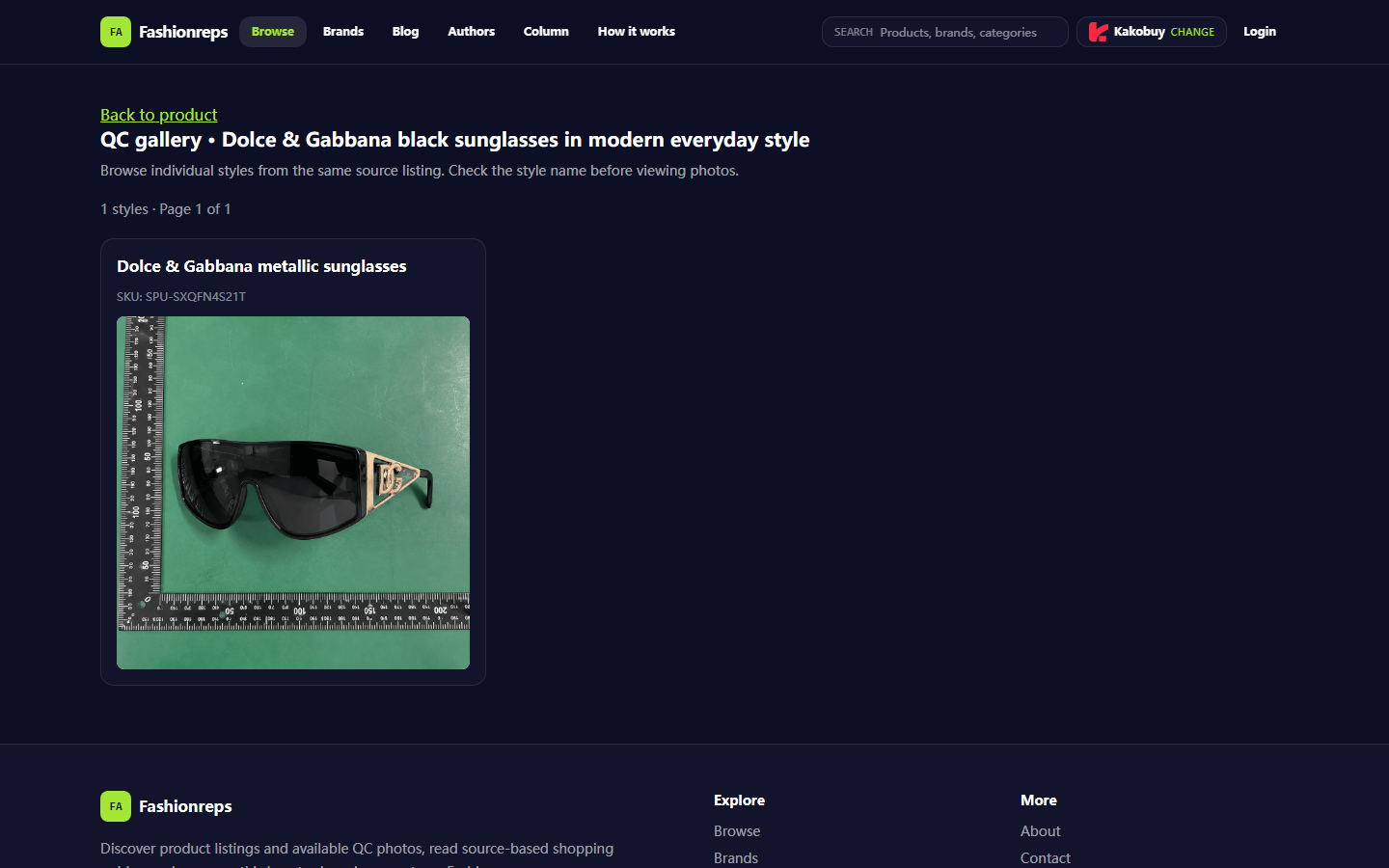
First, go back to the item source page and the QC page to confirm that what you're checking out is the same item, not another style from the same source. In the current visible information, the QC page shows Dolce & Gabbana metallic glasses and lists one item style and SKU: SPU-SXQFN4S21T. This information can only be used to verify the item identity, not to infer the current price, stock, or available coupons.
Before checkout, it's recommended to record the following:
- Whether the item name and brand spelling are consistent.
- Whether the item color, style, and specs match the target item.
- Whether the source page, QC page, and the item after redirecting to the shopping agent all point to the same link.
- Whether the current page still displays a clear item name and valid item information.
- If the agent page redirects, shows blank, or cannot confirm item identity, pause payment first.
Don't assume that just because the item name contains the brand name, it has authenticity guarantee, official brand after-sales service, or specific import qualifications. The page information and QC photos can only help you verify the displayed content, not replace authenticity identification, compliance judgment, or after-sales promises.🔍
How to Retain Evidence of Coupon Entry, Validity, Claim Status, and Applicable Conditions
Coupon verification should be based on what the checkout page actually shows. First check whether the shopping agent has a coupon entry, automatic coupon, account-specific discount, or activity prompt, and confirm whether the coupon has been claimed and bound to the current account. If the page only shows promotional text without showing the applicable scope, validity period, or discount amount, you cannot count it as estimated savings.
Before submitting the order, it's recommended to save a record without personal sensitive information, including at least:
- Coupon name or coupon type.
- Claim status, distinguishing "claimable", "claimed", "applied", and "unavailable".
- Validity period and time zone.
- Applicable items, applicable categories, or excluded brands.
- Minimum order amount and the scope of the amount calculation.
- Whether it's limited to new accounts, specific regions, specific payment methods, or specific shipping routes.
- Whether it can be combined with other coupons.
If you need to take screenshots, you must cover account identifiers, order numbers, addresses, phone numbers, payment information, and complete shipping labels. The purpose of screenshots is to keep verification evidence, not to prove that the coupon will definitely remain valid at final payment.🧾
How to Check Order Thresholds, Brand Exclusions, Category Restrictions, and Stacking Rules
Coupons most easily fail at this step. The cart reaching a certain amount doesn't mean all items count toward the threshold; item price, service fee, packaging fee, and shipping fee may also be calculated differently. Especially check brand exclusions, eyeglasses or accessory category restrictions, and whether the coupon only applies to specific warehouses, specific regions, or specific shipping services.
Checking in the following order will be clearer:
- First add only the target glasses and see if the coupon can be applied.
- Record the item subtotal before and after coupon application.
- Check if the coupon changes or disappears after adding other items.
- Check the calculation methods for item amount, service fee, packaging fee, shipping fee, and payment-related fees separately.
- Check whether the coupon only reduces the item amount or also affects other fees.
- On the final confirmation page, check again the coupon name, discount items, and payment currency.
If the coupon only shows in the cart preview but disappears on the payment confirmation page, the payment confirmation page should prevail. If the page shows multiple coupons, don't assume they can be stacked unless the checkout page clearly shows the stacked result.⚠️
How to Record Item Price, Service Fee, Payment Fee, Packaging Fee, and Shipping Fee Separately
Don't just record an "estimated total". A more reliable approach is to separate each fee to avoid mistaking coupons for shipping discounts, and to avoid missing later storage, packaging, or route fees.
| Item | What to check before checkout | What cannot be directly inferred |
|---|---|---|
| Item price | Price and currency corresponding to the current item, color, and specs | Cannot infer current price from QC page |
| Coupon | Coupon name, applicable scope, actual discount amount | Cannot treat promotional text as an effective coupon |
| Service fee | Charging entity, calculation base, and whether tax is included | Cannot assume all agent rates are the same |
| Packaging fee | Whether it's charged separately, whether it changes due to reinforcement or combined packaging | Cannot assume packaging service is free |
| Shipping fee | Route, destination country, chargeable weight or volume conditions | Cannot estimate final shipping based only on item price |
| Payment fee | Payment method, exchange rate, and additional fees | Cannot treat the page-displayed exchange rate as the bank's final booking rate |
For items like glasses that are easily squeezed, also confirm whether packaging options will increase costs. Reinforced packaging may increase cost, but not reinforcing may increase the risk of shipping damage. Combined packaging may reduce repeated fixed fees, but it may also change the final amount due due to volume, weight, package value, or route restrictions, so it cannot be guaranteed in advance that combined packaging will always be cheaper.
How to Confirm Coupon Actually Takes Effect on the Checkout Page Without Pre-judging Savings
Whether the coupon actually takes effect can only be seen from the amount changes clearly listed on the final confirmation page. Focus on checking the following positions:
- Whether the item subtotal still corresponds to the target item.
- Whether the coupon line shows a specific discount, not just a "used" status.
- Whether the service fee, packaging fee, and shipping fee are recalculated.
- Whether the order total uses a currency you can actually pay.
- Whether the payment page adds handling fees, exchange rate conversion, or other additional amounts.
- Whether the coupon remains after going back to the previous page or changing the payment method.
If the final page does not show a clear discount amount, do not deduct the coupon in your budget in advance. You can mark that amount as "pending checkout confirmation" instead of writing it as saved amount.💳
How to Build a Verification Process Only When No Visible Coupon Codes or Conditions Exist
Current information does not provide confirmable real-time coupon codes, discount amounts, validity periods, applicable thresholds, or final shipping fees, so you should not fabricate savings for this item, nor guarantee the existence of a lowest price. You can still build an executable verification process:
- Save item identity information and target specs.
- Enter the actual shopping agent page and confirm the item link hasn't changed.
- Check if available coupons appear in the account, cart, and checkout pages.
- Record coupon applicable conditions and failure reasons one by one.
- When contacting support, only submit the item SKU, cart fee items, and screenshots without personal information.
- Before the support reply is clear, don't treat verbal or vague hints as confirmed coupons.
If no coupons are visible, it doesn't mean the order isn't worth buying. At this point, focus the decision on the final amount due, packaging options, shipping routes, destination country taxes, and after-sales paths, rather than forcing unrelated items to use coupons.
How to Proceed with Checkout, Contact Support, or Pause Purchase After Evidence is Complete
When evidence is complete and the checkout page clearly shows the coupon has taken effect, you can continue to check the final total before payment. If any of the item identity, coupon conditions, or fee items still cannot be confirmed, prioritize contacting shopping agent support and keep the current cart state to avoid creating duplicate orders.
Not recommended practices:
- Adding unnecessary items to meet coupon thresholds.
- Counting unconfirmed coupon amounts into the budget.
- Avoiding destination country taxes and inspections through split orders, underreporting, or false declarations.
- Sending order, passport, bank card, or complete shipping label information on public channels.
- Repeatedly submitting multiple orders after the coupon disappears, trying to luckily restore the coupon.
The final judgment can be written in four sentences: whether the current item is confirmed, whether the coupon actually takes effect on the final confirmation page, whether all fees are displayed separately, and whether the post-payment import taxes and after-sales risks are acceptable. As long as one of these is still unknown, pause the purchase or get a clear support reply first.🛑
This verification process is suitable for buyers who want to control budgets, need to confirm coupon conditions, and are willing to keep evidence item by item before payment. It is not suitable for those who just want to quickly order based on item page promotional text, cannot accept fee changes, or cannot bear uncertainties in cross-border shipping, customs clearance, and after-sales.
Article Image

Editor score 4.2 / 5