This time we're not solving "which Burberry fall/winter jacket is the best," but how to organize the candidate items seen on fashion-reps into a list that can be further verified. The website-style spreadsheet is good for discovering brands, categories, product images, and visible product pages; Google Sheets is better for recording colors, sizes, source time, verification conclusions, and next steps. Using both together can reduce the chance of mistaki
This time we're not solving "which Burberry fall/winter jacket is the best," but how to organize the candidate items seen on fashion-reps into a list that can be further verified. The website-style spreadsheet is good for discovering brands, categories, product images, and visible product pages; Google Sheets is better for recording colors, sizes, source time, verification conclusions, and next steps. Using both together can reduce the chance of mistaking "looks similar" for "specs confirmed." 🔎
This article uses the Burberry-style jacket candidates visible on the page as an example, focusing on navigation, filtering, images, and link browsing methods, as well as spreadsheet organization and collaboration methods. Page information should be based on what you actually see when you open it; prices, availability, sizes, and purchasing service fees still need to be re-confirmed before placing an order.

What task does this Burberry fall/winter jacket screening solve?
The specific task is: find Burberry fall/winter jacket candidates worth further verification from the website-style product catalog, and record each candidate's color, size, image, product page, and evidence status, then decide whether to keep, supplement verification, or stop considering.
After reading, you should be able to do four things:
- Locate the Burberry jacket category in the website-style spreadsheet or product catalog.
- Distinguish between product name, product image, and visible information in the product detail page.
- Record candidates that are still valid in Google Sheets to avoid repeated opening or repeated comparison.
- When specs, images, or link evidence are insufficient, clearly mark "pending verification" instead of ordering directly.
This method is not suitable for scenarios requiring instant confirmation of inventory, final shipping costs, taxes, or after-sales results. The product catalog can help you discover candidates, but it cannot replace final confirmation on the shopping agent page, nor can it treat catalog descriptions as independent quality inspection conclusions.
How to confirm jacket category, brand, and visible links in the fashionreps website-style spreadsheet
Start from the site's brand or product catalog entry, not by searching titles directly. The goal is to confirm that the content you're seeing actually belongs to Burberry jacket candidates, not accessories, shoes, or other clothing that merely contain Burberry keywords.
Recommended checking order:
- First look at the page path, breadcrumbs, or category tags to confirm it belongs to Burberry and jacket-related scope.
- Then look at the main title of the product card and record the style, material, color, or structure information explicitly stated in the title.
- Open the product detail page and confirm that there is visible content sufficient for further judgment, such as product name, price reference, sizes, or colors.
- Check whether the page can be accessed normally. If it's just a blank page, a dead page, or a page that cannot confirm the product after redirect, it cannot be a valid candidate.
- Record the product page as an evidence entry, don't just save a headline from the search results.
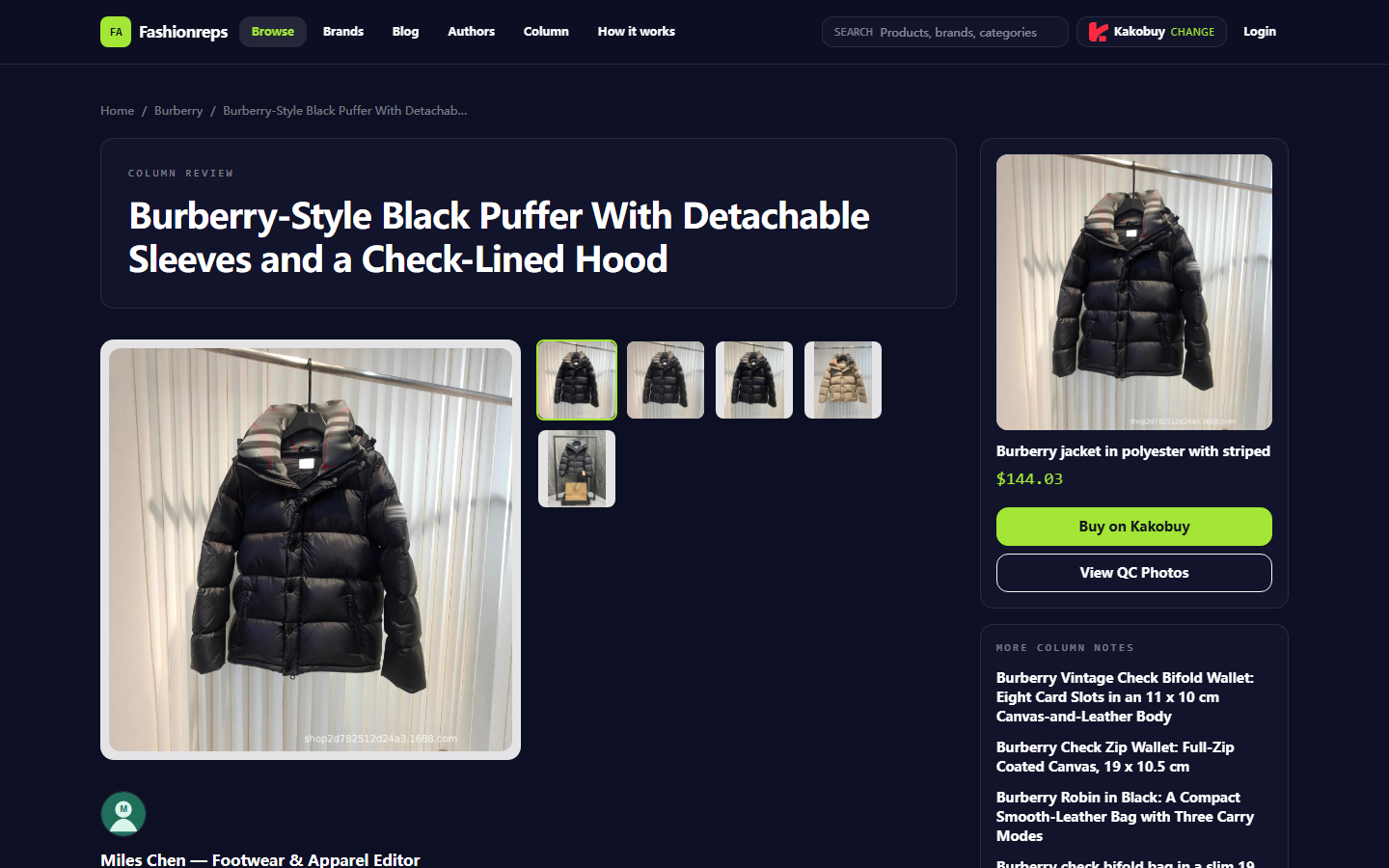
Taking the currently visible Burberry-style black down jacket page as an example, the page displays catalog information such as detachable sleeves, hood, stand collar, color variations, and S to XXL sizes. At the same time, the page clearly states that there are no public buyer measurements or independent QC, so this content can only be considered as product page claims, not verified physical conclusions.
The page also shows a reference price, but the final product price, service fee, and international shipping need to be re-confirmed on the selected shopping agent page. If you are using a shopping agent for the first time, you should confirm the agent account, destination country, product link, service fee, and shipping route before proceeding to payment. 🧾
How to record color, size, images, and source time in Google Sheets
The website is for browsing, Google Sheets is for building your own verification record. You don't need to copy the entire product description; just record the fields that affect the decision to keep or eliminate.
Recommended fields:
| Field | How to record | Purpose |
|---|---|---|
| Candidate name | Use the visible product name from the page, can be shortened appropriately but not change the meaning | Distinguish different products |
| Brand and category | Burberry, jacket, down jacket, etc. | Check if it belongs to this task |
| Color | Record each color variation listed on the page | Compare wearing preferences and available range |
| Size | Record sizes listed on the page, do not infer actual fit | Determine if flat measurements need to be requested |
| Image status | Clear main image, insufficient detail images, no image, or pending | Decide whether to continue looking for evidence |
| Product page status | Accessible, insufficient information, invalid, or needs review | Prevent using outdated links |
| Source time | Record the date of viewing or verification | Determine if information needs refreshing |
| Evidence notes | Record the specs explicitly stated on the page and missing items | Support future decisions |
| Next step | Ask for measurements, confirm filling, recheck link, or eliminate | Make the spreadsheet drive action |
It's best to keep the original text for colors and sizes, and add a separate "standardized notes" field. For example, when the page uses English names like Khaki, Black Check, you can add Chinese explanations in the notes, but don't expand color names that the page doesn't provide.
The image field should also distinguish between "has product image" and "proven quality." The main product image only shows that the page displays a certain appearance, it cannot prove fabric feel, filling quality, stitching, or actual color. If the page provides QC images, record their source and applicable scope separately; if there is no QC, clearly write "no public buyer QC found." 📷
Step-by-step comparison of product card browsing and spreadsheet filtering
The advantage of the website-style spreadsheet is that it puts candidates in the same browsing environment. You can quickly discover potentially relevant styles by brand, category, or product card, then open the detail page to view images and catalog descriptions.
The advantage of Google Sheets is that it fixes the judgment criteria. For example, you can filter for candidates where "sizes are listed but no flat measurements" or view only records where "product page accessible, color clear, still need to confirm filling."
The division of labor between the two tools can be understood as:
- Website-style spreadsheet is for discovery: what candidates did I see? What's on the page?
- Google Sheets is for organization: which candidates are worth further checking? What evidence is missing?
- Product detail page is for providing original visible information: what exactly does the page say?
- Shopping agent page is for pre-order confirmation: are the current price, service fee, route, and purchase availability still valid?
Don't rush to judge "this one is definitely warm" or "this one will fit a certain body type" while browsing the website. A safer approach is to record the page claims and list what needs independent confirmation as a next step task. 🧭
How to verify QC images, product specs, and link status separately
These three dimensions should be recorded separately because they answer different questions.
QC images answer: are there actual inspection images related to this product or style? If the page has no public buyer QC, the catalog image cannot be written as QC evidence. Even if there are images, confirm whether they correspond to the current candidate, not another product from the same brand.
Product specs answer: does the page list material, filling, weight, size range, structure, and color information? Specs are descriptions provided by the page, not independent test results. The current candidate page lists catalog information such as duck down ratio, fill amount, loft, and low temperature range, but the page also lacks public buyer measurements and independent QC, so this uncertainty should be kept in the spreadsheet.
Link status answers: can the product page still be accessed now, and does it still display clear product information? A link opening does not mean price, inventory, or product options have not changed. Source time should be updated with each recheck to avoid treating old records as current status.
You can set three simple statuses for each candidate:
- Keep: page accessible, product name and key options clear, next step is just supplementary confirmation.
- Pending verification: page accessible, but missing important evidence such as size, material, filling, or QC.
- Stop: page invalid, insufficient information, or key specs clearly do not match target needs.
When to use mobile for quick discovery vs computer for deep organization
Mobile is better for quick discovery of candidates. Browsing product cards, viewing main images, saving candidate names and initial notes are convenient, suitable for commuting or the first screening.
Computer is better for deep organization. When you need to open product pages simultaneously, check multiple colors and sizes, copy standard fields, filter multiple candidates, or collaborate with others, the spreadsheet on a computer is easier to keep accurate.
A practical workflow: mobile only does initial screening, don't make final judgments immediately; computer then completes product page status, spec evidence, source time, and next steps. This avoids leaving behind many context-less bookmarks from quick mobile browsing. 💻
Candidate retention rules when combining both tools
It is recommended to define "keep" as an actionable state, not "I think it looks good." A candidate should at least meet the following conditions:
- Brand and jacket category are consistent with this task.
- Product detail page is accessible and has a clear product name.
- At least one color or style information can be confirmed.
- At least confirm which sizes are listed on the page, or clearly record that size information is missing.
- Images correspond to the current product page, not just similar style images.
- Price, inventory, shipping, and agent service fees are not mistakenly written as permanent facts.
- Still has a clear next step, such as requesting flat measurements, confirming filling, or rechecking purchase route.
If a candidate only has an attractive main image but no accessible product page, size information, or source time, it should not enter the final comparison list. At most, it can be placed in a "pending evidence" area.
Also pay attention to duplicate records when merging candidates. The same product may appear multiple times in the spreadsheet due to different colors, title capitalization, or page entries. Before merging, check the product page, images, and key descriptions; if you cannot confirm it's the same product, don't overwrite the original record without authorization.
Stop conditions and next actions when page evidence is insufficient
When the page lacks key evidence, stopping further comparison is often more effective than continuing to guess. You can directly pause the candidate in the following situations:
- Product page cannot be accessed, or after opening there is no clear product information.
- Only brand keywords are seen, no confirmation of jacket category.
- Page lists sizes, but no flat measurements, and fit is a key purchasing factor.
- Page claims a certain temperature range or filling standard, but no independent test basis.
- Images cannot confirm they correspond to the current style, or image information is insufficient to support the needed judgment.
- Price, inventory, service fee, or international shipping have not been re-confirmed on the shopping agent page.
- Page specs are clearly inconsistent with target needs, for example, the target is goose down structure, but the current page clearly lists duck down specs.
Next steps should be written as specific questions, not vague "look again." For example: ask the seller to provide flat measurements of chest, shoulder, length, and sleeve length; confirm whether color variations are still available; confirm filling material and content; confirm the current agent page's product price, service fee, route, and estimated delivery conditions.
The final retention rules should also be clearly written: the time saved comes from centralized recording and reducing repeated browsing; the increased risk is that catalog information may be outdated, measurements may have errors, and without public QC, the physical condition cannot be confirmed. Suitable for those willing to supplement verification before ordering and accept candidate uncertainty; not suitable for those who need immediate confirmation of authenticity, actual warmth level, final fit, or unconditional after-sales guarantee.
Frequently asked questions about agent platform shopping
1. For those using an agent platform on bbd-buy.org for the first time, what should be noted?
First-time Taobao agent users who enter bbd-buy.org through the spreadsheet will generally receive a shipping discount gift package specially prepared for new users. In addition, you should also check the step-by-step shopping tutorial guide for beginners.
Editor score 4.2 / 5